

How Long Do Security Cameras Keep Footage? A Complete Guide
Most home security cameras save video for 24 hours to 30 days, depending on storage type, camera brand, and plan level. For businesses, the time often depends on legal rules, industry standards, and the system’s available storage capacity.
If you are a homeowner or business owner in the Golden Horseshoe, you likely have questions about security cameras and the lifespan of your recorded data. At PasWord Protection, we’ve provided clarity for over 60 years by ensuring our clients understand exactly how their security systems function.
A common concern is knowing
how long security cameras keep footage to ensure evidence is available if an incident occurs.
How Long Do Home Security Cameras Keep Footage?
Home security cameras typically keep footage for one to 30 days. For many residential users, the standard retention period is 30 days. This timeframe gives homeowners time to identify a problem, such as a missing package or property damage, and retrieve the relevant video footage before it’s overwritten.
However, the specific timeframe depends on whether you use
local storage or a subscription-based cloud service. Some
entry-level devices only offer a 24-hour rolling window of storage unless you pay for an upgraded plan.
Cloud Storage vs. Local Storage: How Long Does Each Keep Footage?
Choosing between cloud storage and local storage is one of the biggest factors in determining how long security cameras keep footage. Both storage methods have distinct advantages regarding how they retain footage and the overall security of the data.
Local Storage: DVRs and NVRs
Traditional security systems often rely on a digital video recorder (DVR) or a network video recorder (NVR) to manage surveillance camera footage. These physical devices store data on internal hard drives, providing a dedicated on-site storage system for your property.
- Storage capacity: The number of days your security cameras keep footage is strictly limited by the size of the hard drive, measured in
gigabytes (GB) or
terabytes (TB).
- Control: You have full physical control over your storage devices, though they are vulnerable to theft or damage if an intruder enters the building.
- No monthly fees: Unlike many cloud options, digital video recorders do not require recurring subscriptions to keep footage.
- Limitations: Most security systems use high-capacity drives, but as you add more cameras, the available storage space decreases. Businesses with multiple IP cameras and high video storage demands can quickly exceed the capacity of a single drive.
By optimizing these storage devices, you can ensure that your security cameras keep footage for the full duration required for your safety.
Cloud Storage
Cloud storage involves uploading encrypted video to a remote server. This method is increasingly popular for modern security IP cameras.
- Scalability: You can easily increase your storage capacity by upgrading your service plan.
- Redundancy: Even if your physical camera is destroyed, your cloud storage keeps footage safe off-site.
- Accessibility:
You can access your saved surveillance footage remotely and engage in live monitoring from anywhere in the world.
Hybrid Approach
Many modern security systems offer a hybrid approach that combines on-site and cloud storage. This gives you large capacity and quick access from on-site storage, along with the accessibility and security of cloud storage.
For instance, you might store most of your footage on a local NVR and back up critical events to the cloud for added security.
Many residents in Hamilton and Niagara prefer cloud storage because it
simplifies how long CCTV footage lasts without requiring bulky hardware.
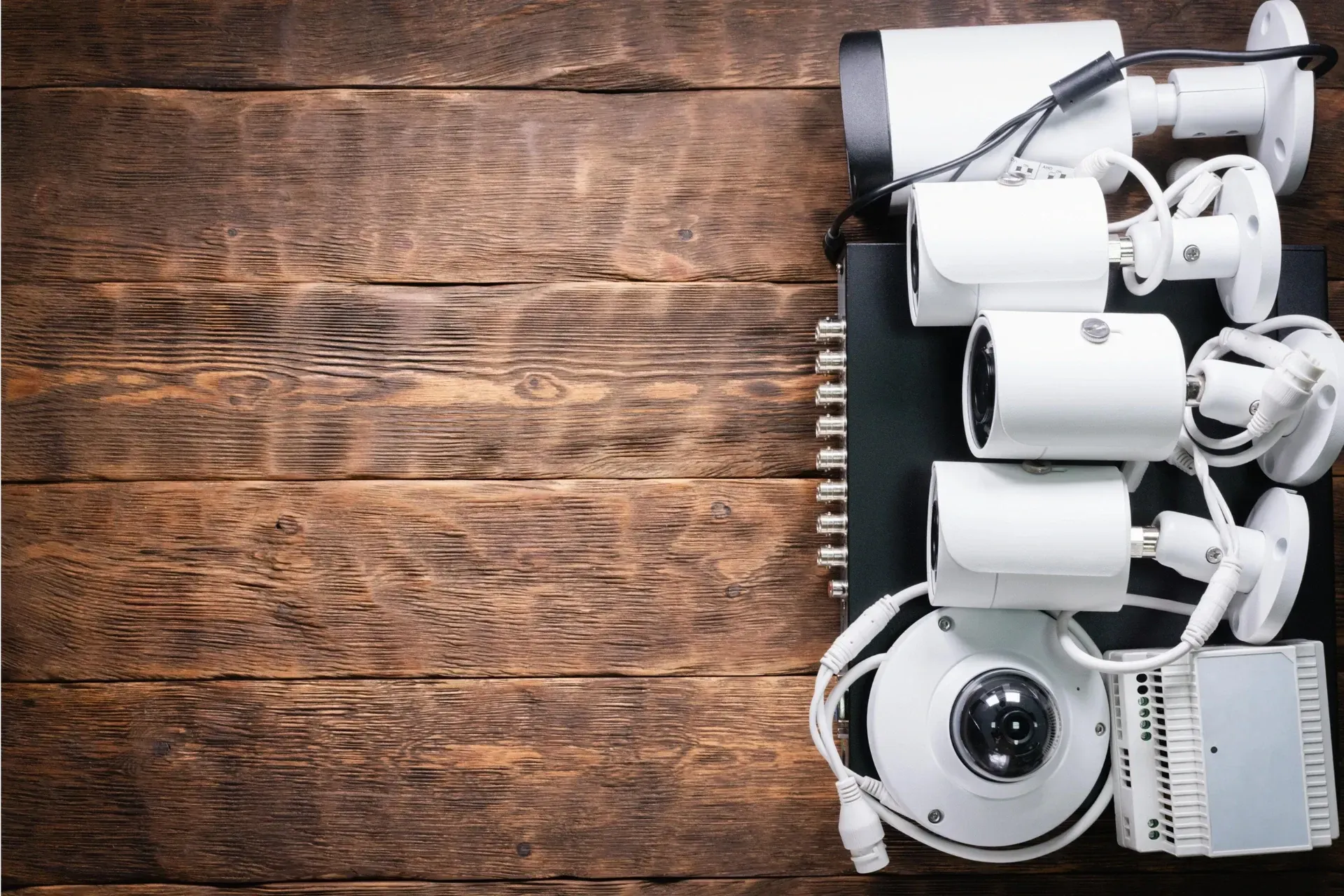
Image Source: Envato
How Long Do Businesses Need to Keep Security Camera Footage in Ontario?
For commercial operations, camera retention considers not only storage but also compliance. The time security cameras need to operate to comply is just as important as the storage space they require.
Often, indoor and outdoor business security cameras must meet storage standards set by insurers or by legal requirements.
- Retail stores: Most retail stores retain footage for
30 to 90 days to address potential liability claims or internal theft investigations.
- Financial institutions: Banks and other financial institutions often require an extended footage retention period. These organizations often retain security footage for up to a year to support long-term fraud investigations.
Complying with these standards protects your business from legal issues and ensures you have useful evidence in the event of unfortunate incidents.
What Affects How Long Your Security Cameras Keep Footage?
Several technical factors dictate how long security cameras keep footage before the system needs more space. Understanding these helps you optimize your storage capacity.
- Resolution and image quality: High-definition video surveillance cameras capture more detail but use
significantly more storage space.
- Frame rate: A higher frame rate results in smoother video but increases file size, potentially shortening the overall retention period.
- Storage methods: What an average security camera can store depends heavily on the compression technology used. While your surveillance cameras may record in high definition, modern IP cameras use advanced codecs like H.265 to retain footage longer.
- Motion-activated vs.
continuous recording: Continuous recording ensures you never miss a second, but it quickly fills up storage devices.
Motion-activated recording helps security cameras retain footage longer by saving data only when activity is detected.
- Number of cameras: A system with multiple IP cameras will exhaust a digital video recorder's storage capacity much faster than a single-camera setup.
Adjusting these settings can help you manage how long video surveillance lasts on your property. Our experts at PasWord Protection keep these factors in mind when crafting your custom home or commercial surveillance system, ensuring storage tailored to your needs.
Technical Deep Dive: Understanding Storage Methods and Compression
How long do security cameras keep footage before older files are overwritten? It depends on the efficiency of your system. How much an average security camera can store relies on bitrate, frame rate, and compression.
A higher bitrate ensures a more detailed picture, but it also increases the speed at which your security camera footage fills up your internal hard drives or your cloud account.
Compression determines the file size and quality. Modern IP cameras use codecs like H.265 to compress data without sacrificing the image quality required for evidence.
Other standard video codecs include:
- H.264/AVC: The current industry standard for web and mobile video, offering high efficiency.
- H.265/HEVC: Offers up to 50% better compression efficiency for 4K video.
- AV1: An open-source, royalty-free codec designed for superior streaming efficiency.
- VP9: Google’s open-source codec, commonly used for 4K YouTube streaming.
Types of Compression
Compressed videos can either be lossy or lossless. Lossy compression permanently removes data to achieve smaller file sizes. It prioritizes streaming efficiency while maintaining "visually lossless" quality.
On the other hand, lossless compression preserves all original data, resulting in larger files and is primarily used for professional editing or archival purposes. For video surveillance, lossy compression is ideal for smaller file sizes.
Compression techniques vary in what they compress and how they compress it. Here’s how they differ:
| Technique |
Function |
Primary Method |
|---|---|---|
| Intra-frame (Spatial) |
Compresses individual frames |
Removes redundant information within a single picture. |
| Inter-frame (Temporal) |
Compresses sequences of frames |
Removes redundancy between consecutive frames using reference and delta frames. |
| Motion Estimation |
Calculates pixel movement |
Saves motion vectors instead of entire frames to recreate scenes with less data. |
| Quantization |
Reduces data precision |
A lossy process that reduces visual detail where it is less noticeable to save space. |
Key Benefits of Using Codecs and Compression
Older analog CCTV cameras typically lack these efficient settings, often resulting in a shorter retention period than modern IP cameras. By selecting a high-quality camera system and optimizing these technical settings, you can ensure that you retain footage long enough to be useful.
- Reduced storage costs: Significantly lowers the
storage space required for high-definition video.
- Improved streaming: Enables high-frame-rate, high-resolution (HD/4K) video streaming over limited bandwidth.
- Wide device compatibility: Allows video content to be viewed across a diverse range of devices, from mobile phones to laptops.
Image Source:
Envato
How to Extend Your Camera's Footage Retention
If your current security cameras keep footage for a shorter time than you need, you can improve your system in several ways.
- Upgrade your hard drives: For systems using digital video recorders, installing a larger hard drive is the most direct way to increase storage capacity.
- Use video compression: Modern IP cameras use advanced codecs to reduce file sizes without sacrificing the quality needed to retain footage effectively.
- Switch to cloud storage: Moving to a cloud storage model allows for flexible retention periods that can be adjusted as your needs change.
- Regular maintenance: Ensure your storage system is functioning correctly by scheduling periodic checks with a professional provider.
Maximizing these factors can increase your security system’s storage capacity. If that seems intimidating, a
24/7 home monitoring security service can customize your security settings while monitoring your system’s live feed. Security experts stay alert for early warning signs, always ready to respond, reducing the need for long-term storage.
FAQs About Security Camera Footage
Do security cameras save all footage?
Not necessarily. While some systems are set to continuous recording, many modern IP cameras use motion detection to save only relevant events, helping maximize your storage capacity.
How often do security cameras delete footage?
Most security systems do not "delete" files in the traditional sense. Instead, once the storage capacity is reached, the system will overwrite the older footage with new recordings.
Do security cameras record continuously?
It depends on your settings. You can choose continuous recording for maximum coverage, but this will significantly shorten the time security cameras keep footage before the storage device is full.
How long does an SD card last in a security camera?
The lifespan of an SD card depends on its quality and how often the security cameras record data. Constant overwriting can eventually wear out the card, making professional storage devices or cloud storage a more reliable long-term choice.
Key Takeaways
- Most home security cameras keep footage for 30 days.
- Cloud storage offers greater accessibility and scalability than local digital video recorders.
- Businesses in Ontario may be required to comply with specific legal requirements regarding the retention period for CCTV footage.
- Factors like
frame rate, resolution, and storage capacity determine the actual retention period.
Protect Your Property with PasWord Protection
Stop wondering how long CCTV footage lasts and start enjoying the confidence that comes with a professionally managed system from PasWord Protection
Whether you need residential security systems or robust 24/7 commercial monitoring, our team is here to help. Armed with over 60 years of experience, we understand the local security camera laws in Canada and can design a system that ensures you always retain footage when it matters most.
Contact PasWord Protection today for a
free consultation.