
Common Small Business Security Mistakes
Most SMBs commit seemingly minor yet crucial mistakes, such as setting weak passwords, ignoring software updates, skipping data backups, and following an outdated incident response plan. You can easily resolve many of these issues by properly training your staff.
Did you know that small businesses are more likely to get targeted by bad actors? Reports say companies with fewer than 100 employees face 350% more social engineering attacks than larger organizations. Likewise, over 85% of SMBs say they’ve experienced retail theft at least once in the past year.
So if you think only enterprises need employee training and company data protection, now’s the time to revisit your security measures. Let’s start by fixing your weak spots. Here are some of the most common small business security mistakes that you might be making.
1. Using the Same Password Across Business Systems
Your first line of defence against almost all types of cyber threats isn’t your antivirus software, firewall, or automated tools. It’s your staff’s password hygiene.
Password reuse leaves you
prone to attackers who use breached login credentials to access related business systems. For instance, a single compromised SaaS login can expose email, CRM, payroll, and cloud storage through SSO.
As best practice, have your team run their combinations through a
password strength checker. Ideally, it should have a mix of uppercase and lowercase alphanumeric characters.
2. Running Unpatched Software and Outdated Systems
One of the most common mistakes that you can make is overlooking software updates. Yes, some updates take quite a while and may be a hassle at times. But unpatched software exposes known vulnerabilities and exposures that attackers proactively scan for.
Talk to your team about turning on automatic updates. If an update would take more than just a couple of minutes, adjust their deliverables so that they won’t feel pressured to skip installation.

Source:
Unsplash
3. Treating Cybersecurity Training as Optional for Staff
The more sensitive information and system access an employee has, the more cybersecurity training they’ll need. Remember: many attacks focus on manipulation and trickery, and you’re only as strong as your weakest link.
Even with the latest, most secure operating systems, attackers can still
gain access to your accounts if one of your employees falls for their phishing emails. Require cross-departmental training to
standardize cybersecurity protocols and stay one step ahead of bad actors.
4. Not Having Reliable, Tested Data Backups
Many businesses assume their backups exist, only to find they have already been compromised. So,
conduct regular backup reviews to be sure. Since backups stored on the same network or domain are prone to ransomware attacks, you’d do well to have versioned, off-site, and offline copies of these resources.
5. Skipping Multi-Factor Authentication on Business Accounts
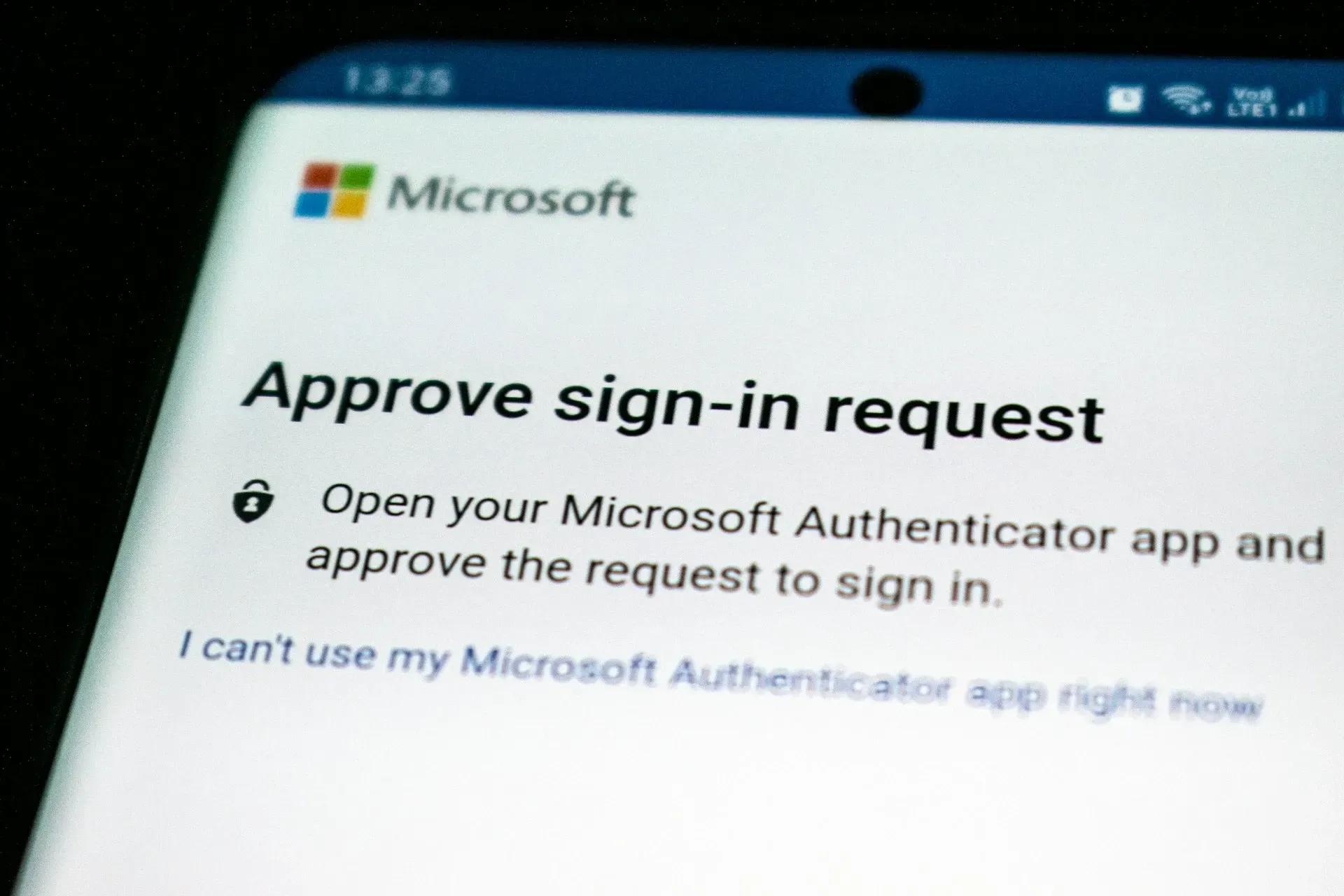
Unfortunately, passwords alone can’t prevent credential stuffing or phishing attacks.
Two-factor authentication provides an extra verification layer to ensure users can log in only from approved devices. It’s especially critical for
cloud platforms, VPNs, and admin accounts.
Source:
Unsplash
6. Operating Without a Documented Incident Response Plan
Without a
documented incident response plan, teams waste critical time deciding who is responsible and what to do during an active incident. You need to
rehearse what to do in case of an attack
to reduce response time and mitigate potential severe damage. The process is generally more complex, so consider covering these over multiple training sessions with your employees.
FAQs About Enterprise Security and Risk Management
How do weak passwords impact small business security?
Weak or reused passwords can expose your entire organization’s database. Once an attacker successfully opens your account, they can use the same login credentials as an entry point to any other platform. Take your email as an example. Criminals can use compromised accounts to generate new or unique passwords for the work and personal profiles that are linked to them.
Why is ignoring regular updates a significant IT security mistake for small businesses?
Using outdated software versions leaves your technology open to attackers who already know about its known vulnerabilities. Note that bugs and errors spread within the community fast. Ask your team to enable automatic updates.
How can employee training improve cybersecurity in small businesses?
Regular employee training is the best way to reduce the risks of human error. Talk to your staff about possible security flaws, run them through simulated phishing tests, and require them to use unique, strong passwords. Even the most advanced software would need the supervision of well-trained professionals.
In Summary
- Weak password hygiene remains one of the fastest ways attackers gain access to multiple business systems through credential reuse and SSO.
- Unpatched software exposes known vulnerabilities that attackers actively scan for, making skipped updates a preventable risk.
- Employee cybersecurity training reduces human-error attacks like phishing, social engineering, and credential leakage.
- Backups that aren’t isolated, versioned, and tested fail when businesses need them most during ransomware or data loss events.
- Multi-factor authentication adds a critical verification layer that passwords alone cannot provide.
- Without a documented and rehearsed incident response plan, security incidents escalate faster, increasing downtime and recovery costs.
Get a Custom, Comprehensive SMB Security Solution at PasWord Protection
On the topic of outdated systems, when was the last time you visited your physical security systems? Get rid of all blind spots within your perimeter with PasWord Protection. Since 1961, we’ve been helping thousands of business owners monitor for theft, intrusion, and break-ins, among other potential threats. Whether you need to restrict access to specific rooms or monitor your entire property, our team has you covered.
Call us for an
initial consultation today. We’ll analyze your current setup, point out potential suspicious activity, and suggest ways to significantly reduce potential risks.