
How Many Cameras Do You Need for Full Home Coverage?
A single detached house with three rooms and a backyard might need eight to 10 cameras indoors and outdoors. The exact figure would still depend on your property layout, number of exit points, and specific needs.
More isn’t always better when it comes to security camera coverage. Covering every corner of your home may be unnecessary, but having too few CCTVs can leave you with critical blind spots. To protect your household, strategically place your cameras in high-risk locations and potential entry points.
Here’s how to assess how many cameras you need in your house. We’ll talk about the different types of surveillance systems available to homeowners and how you can use them.
How to Calculate the Number of Cameras Needed
To know how many indoor and outdoor cameras you need, start by assessing which areas of your living space need monitoring. The most common entry points include areas with foot traffic and low visibility:
- front door
- back door
- garage door
- basement window.
In many cases, you’d have to prepare multiple cameras.
A typical detached house might need
three to five outdoor security cameras just to cover the backyard. Set up
one to two indoor cameras per hallway and stair landing, although it’s not advisable to have one in every room of your house. Strive for
continuous visibility instead of isolated camera footage.
What factors influence indoor camera placement at home?
Of course, there’s no one-size-fits-all home security system. Feel free to make your own estimates based on these factors:
- Number and location of exterior entry points
- Storeys, extensions, and detached structures
- Sightline obstructions (fences, landscaping, alcoves)
- Desired identification level (general motion vs facial detail)
- Field of view (FoV) and camera lens type
- Mounting height and available angles
- Lighting conditions and nighttime coverage needs
- Whether cameras are fixed, pan-tilt, or wide-angle
- Need for coverage overlap to reduce blind spots
Source:
Unsplash
Tips for Optimal Security Camera System Placement
Buying expensive camera models doesn’t guarantee better protection. Poor placement can make even the best home security cameras with the latest smart features ineffective. The real value of a setup comes from professional installation.
Here are some tips to optimize placement and get the protection you and your household deserve.
- Adjust the camera angle to reduce glare, head-on backlighting, and washed-out faces during daylight hours.
- Set your outdoor cam above normal reach but below the roofline
if you have a security camera with 360-degree coverage.
- Keep lenses clear of motion obstructions that can
trigger false alerts, e.g., tree branches, hanging decor, or flagpoles
- Test camera views at different times of day because shadows, sun angles, and night lighting can hurt image clarity.
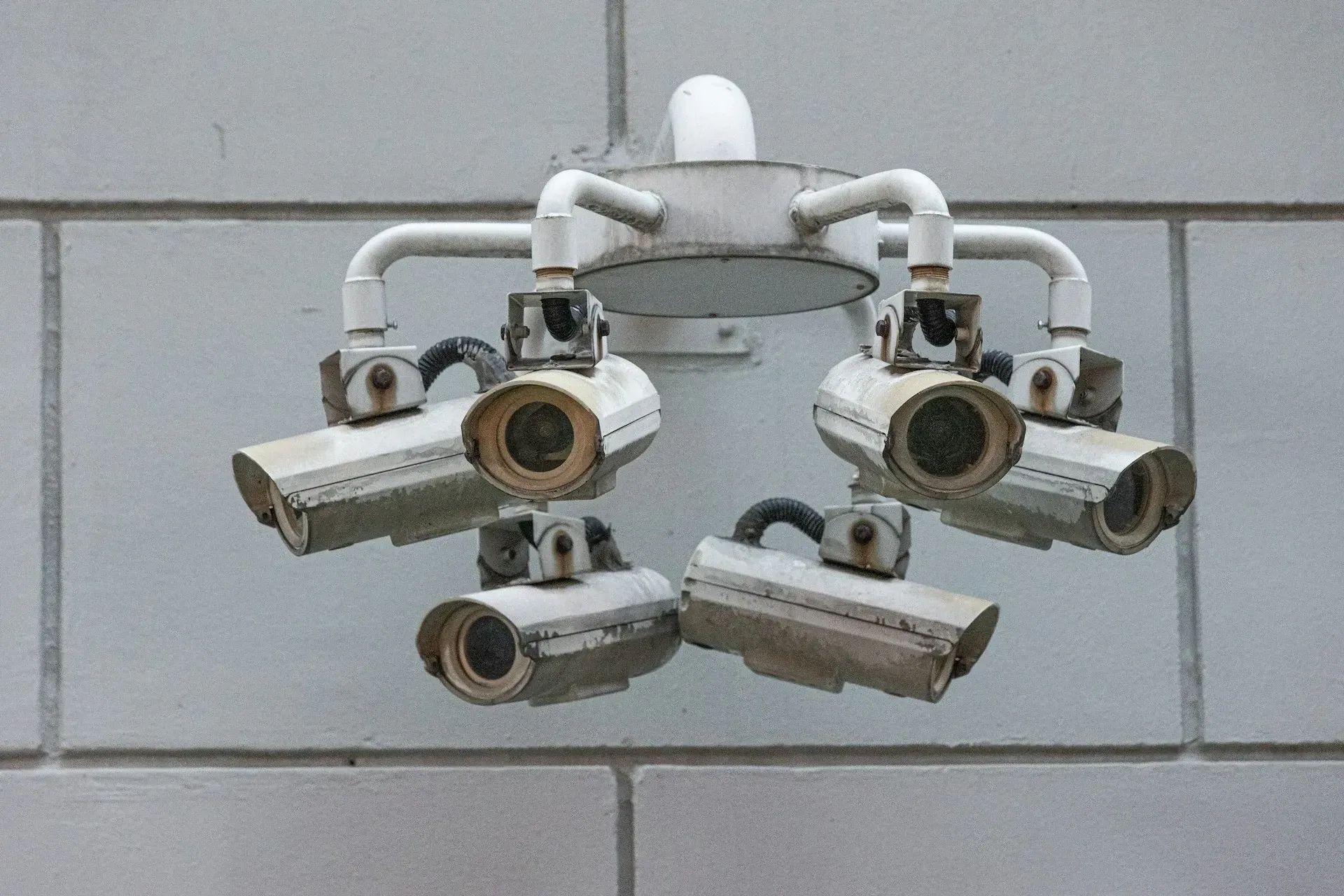
- Intentionally use overlap so that one camera can validate the motion captured by another.
- Avoid placing cameras directly against sunrise-facing doors or reflective siding. Bright light sources can trigger false exposure adjustments.
- Place
indoor security cameras
to observe movement paths, such as stair transitions or hallway intersections, rather than static rooms.
- Avoid mounting wireless cameras too high indoors for better security camera coverage. Otherwise, the steep angles can distort faces and make video verification more difficult.
- Plan the cable routes for your wired cameras to align with your preferred placement.
- Confirm
privacy boundaries of neighbouring properties, sidewalks, and shared spaces before final mounting.
- Place your cameras closer to interaction points to maintain audio quality since microphones have limited range and clarity.
- Aim cameras so that their built-in motion sensors align with natural walking paths. Move them away from trees, busy roads, or reflective surfaces to reduce false alerts and missed triggers.
Source:
Unsplash
FAQs About the Best Security Cameras for Home and Living Spaces
What is the range of a home security camera?
Camera range depends on lens type, video resolution, and infrared (IR) capability. For instance, most cameras provide six to nine metres of fine detail, but IR night vision can extend it to around 12 to 19 metres. Just note that the video quality might drop beyond the identification range.
How much area does a security camera cover?
The field of view (FoV) heavily affects coverage. It’s usually measured in degrees, and for residential units, you can expect a FoV of around 90° to 160 °. That said, wider isn’t always better.
Although a wider FoV covers more horizontal space, it distorts the edges and reduces depth clarity. A narrower FoV covers less area but provides better detail. Apart from FoV, consider the ceiling height, pan-tilt, and mounting angles of your setup.
Are blind spot cameras worth it?
Strategic camera placement doesn’t necessarily mean eliminating security camera blind spots. Corners, long side yards, and recessed entries, among other structural limitations, make it harder to achieve full coverage. In many residential settings, better placement and sightlines can compensate for some gaps.
In Summary
- The right number of cameras depends on the layout, entry points, and sightline risks of your living space.
- Focus on covering high-traffic entry points like doors, garages, side yards, and low-visibility areas.
- Not every room needs a security camera.
- Continuous visibility and overlapping angles matter more than isolated, high-resolution footage.
- Camera performance is heavily influenced by placement, lighting conditions, mounting height, and motion sensor alignment.
- Wider fields of view cover more space but reduce detail, so balance coverage with identification needs.
- Strategic placement often compensates for blind spots without adding extra cameras.
- Professional planning helps avoid wasted equipment, false alerts, and missed activity.
Build a Comprehensive Home Security System for Your Family
Take your home security to the next level with PasWord Protection. For over 60 years, we’ve been providing homeowners across the Golden Horseshoe with lasting peace of mind. Whether you need comprehensive security camera coverage or professional monitoring, our team has the skills and experience to protect you, your home, and your loved ones.
Call our team to
start planning today! Let’s discuss how our products and services can help eliminate security camera blind spots in your living space.